

CRM for college and university admissions
A CRM for college admissions keeps every enquiry, counsellor call and application in one record. This guide shows how Indian colleges and universities should design stages, workflows, reports and integrations.
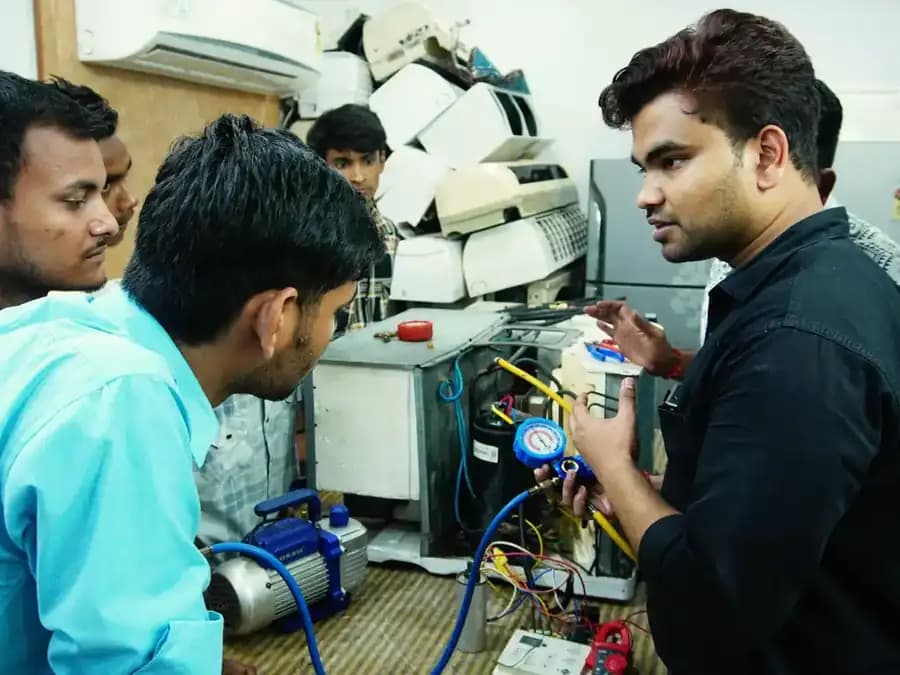
A CRM for college admissions is the system that holds every prospective student, every counsellor conversation and every application in one place, so nothing depends on a counsellor's memory or personal phone. For colleges and universities in India, where enquiries spike within days of board results, CUET scores, JEE rounds or CAT results, that single record is the difference between a full batch and empty seats.
This guide explains how college CRM software and university CRM systems should be set up, the workflows that matter for UG, PG and management programmes, and how to get counsellors to use the system. If you are still choosing a vendor, start with our buyer's guide to the best CRM for education and the best CRM for higher education comparison.
Why a CRM for college admissions beats a spreadsheet
A typical private college receives leads from its website, Google and Meta campaigns, Shiksha, CollegeDekho and Careers360 listings, education fairs, school outreach and walk-ins. Each source arrives in a different format. Spreadsheets cannot de-duplicate across them, cannot remind a counsellor that a call is due, and cannot report cost per admission. By the time someone compiles the weekly report, the data is a week old and the peak has moved on.
A CRM for academic institutions solves four problems at once: it captures leads automatically, routes them to the right counsellor, prompts timely follow-up, and links each admission to the campaign that produced it.
Core workflows in college CRM software
1. Lead capture and source tagging
Every lead should arrive with source, medium, campaign and programme of interest. Connect website forms with UTM capture, Google Ads and Meta lead forms, portal APIs or email parsers for aggregator leads, and a missed-call or IVR number for print and outdoor. Manual entry should be limited to walk-ins and fairs, using a mobile form.
2. Allocation and speed to lead
Route leads by programme family, region or language. A Telugu-speaking counsellor for leads from Andhra Pradesh and Telangana, or a dedicated MBA desk for CAT-score enquiries, lifts contact rates. Set a target for first contact within 15 minutes in working hours and track it. Our article on speed to lead for admissions explains why response time matters so much.
3. Counselling and qualification
Define what a qualified lead means for each programme: eligibility (for example, 50% in Class 12 with PCM for B.Tech), budget fit, location preference and intake. Use disposition codes for every call so reports show why leads stall: not reachable, wrong programme, fee concern, waiting for results, chose another college.
4. Application, selection and fee
The application form should live inside or be tightly integrated with the CRM, so the counsellor sees in real time whether a student has started, submitted or paid. For management programmes, add score capture (CAT, XAT, MAT, CMAT), shortlisting rules and GD-PI slot booking. For engineering and medical-linked programmes, track JoSAA or state counselling rounds so you know when students are likely to decide.
5. Handover and joining
Admission is not the end. Students who pay a seat acceptance fee can still withdraw before classes start. Keep a pre-joining journey running: welcome messages, hostel and document reminders, orientation details. Then push the student record to the ERP so academics and finance start with clean data.
Designing your university CRM system: stages and fields
| Stage | Exit criterion | Key fields |
|---|---|---|
| Enquiry | Contact details captured | Source, campaign, programme interest, state, consent |
| Contacted | Two-way conversation completed | First response time, disposition |
| Qualified | Eligible and interested for this intake | Class 12 or graduation score, entrance exam and score, budget band |
| Application started | Form opened | Application ID, last activity |
| Application submitted | Form and application fee complete | Payment reference, documents |
| Selection | Test, interview or merit list outcome | Score, GD-PI result, rank |
| Admitted | Seat acceptance or first fee paid | Fee amount, scholarship applied |
| Joined | Reported for classes | Joining date, ERP ID |
Resist the urge to add dozens of custom fields. Every field a counsellor must fill reduces adoption. Capture only what you will report on or use to route and segment.
CRM college admissions reports that management will use
Build three dashboards and review them on a fixed rhythm.
- Daily counsellor view: new leads, overdue follow-ups, applications pending payment.
- Weekly admissions review: funnel by source and programme, response times, top lost reasons, applications and admissions against target.
- Monthly management view: cost per application and cost per admission by channel, forecast against seat target, programme-wise gaps.
Cost per admission needs spend data alongside CRM outcomes. Import media spend by campaign, add portal and fair costs, and divide by admissions attributed to each source. The education marketing KPIs guide gives the formulas.
Getting counsellors to adopt the CRM
Counsellors decide whether a CRM succeeds. If logging a call takes longer than making it, they will go back to notebooks. What helps:
- Involve two senior counsellors in configuration and let them test every screen.
- Integrate telephony so calls are logged automatically and recordings attach to the record.
- Give counsellors a mobile app for fairs, school visits and calls outside the office.
- Make the daily task list the counsellor's home screen.
- Link incentives to CRM-recorded admissions, so off-system work has no reward.
- Review a handful of call recordings each week for coaching, not policing.
CRM software for universities: integration checklist
- Website forms and landing pages with hidden UTM and click ID fields
- Google Ads and Meta lead forms through native connectors
- Aggregator portals: Shiksha, CollegeDekho, Careers360 via API or email parsing
- Cloud telephony and IVR with call recording
- WhatsApp Business API with approved templates and opt-in records
- Payment gateway for application and seat fees
- ERP or student information system for admitted students
- GA4 and ad platforms for offline conversion uploads
Once data flows in, connect the CRM to your student CRM and lifecycle plans so retention and alumni teams can build on the same record. Schools attached to your trust or university have different needs; the best CRM software for schools guide covers them.
Planning around the Indian admission calendar
Go live between August and November so the system is stable before the next cycle. For UG admissions, the heaviest load arrives after CBSE and state board results in May and continues through CUET-UG results and counselling into July and August. B-schools see enquiry waves after CAT results in December or January, then around XAT and MAT windows. Build automation for each wave in advance, so the CRM sends the right message the day results are out.
MSM CampusOS has worked with institutions including IMT, Goa Institute of Management and Bharati Vidyapeeth on admissions marketing. If you want help configuring a crm for higher educational institutions and running it through your next intake, see our CRM and marketing automation service or our work as a digital marketing agency for colleges.
Frequently asked questions
What is a CRM for college admissions?
Which features matter most in college CRM software?
How is a university CRM different from an ERP?
How many stages should a college admission pipeline have?
Want more student admissions this year?
Get your free audit: website, SEO and AI visibility, ads, social and funnel, benchmarked against your peers.